Let your AI agent build WordPress pages as drafts.
GF Agents connects your AI assistant to your WordPress site over MCP. It gets 27 tools to read your site, build pages with the blocks and patterns of GF Blocks (formerly GF Builder: we renamed the plugin so the company and the product no longer share a name), and propose design changes. New pages start as drafts, and every change is logged.
$149 a year · Included with Agency · Needs GF Blocks, WordPress 6.9+ and PHP 8.2+
› Build a services page: hero, three service cards, an FAQ and a call to action. Use our style pack.
get-started · list-patterns · list-blocks
create-content status="draft"
check-content
✓ Draft saved. Review it in the block editor.
Why connect your AI assistant through GF Agents.
An AI assistant can already write a page. GF Agents gives it your site's own building blocks and keeps you in charge of what goes live. New to MCP? What WordPress MCP is.
It builds with your blocks
It works with the blocks, patterns and settings your site already has, instead of pasting raw HTML.
Nothing goes live by surprise
Agent access is off until you turn it on, new pages start as drafts, and editing live content is off by default.
Design changes wait for you
Design changes are proposed and applied only when you approve them.
Every action is logged
The newest 300 events are kept, and content goes back to how it was with Undo.
Your own AI, no per-message fees
You use your own AI assistant and plan. GF Agents has a flat yearly price.
Your permissions, not more
It asks on a WordPress Allow screen, then acts as a signed-in WordPress user, limited to what that user can do.
A WordPress MCP plugin that builds with GF Blocks.
GF Agents registers its tools through WordPress's Abilities API, so your AI assistant works with the blocks, patterns and settings your site already has instead of pasting raw HTML.
READ · 7 TOOLS
Learn the site first
- List patterns and blocks
- Read design settings
- A read-only site map of what it may work on
- Read the activity log and support info
CONTENT · 15 TOOLS
Build and edit
- Create and update content, or edit one section
- Run a content check on what it wrote
- Upload and update media, create terms
- Move to trash, and undo its last change
DESIGN · 5 TOOLS
Propose the look
- Propose design changes
- Switch the style pack
- Build a site from a plan
- Propose site changes and site parts
Drafts first, undo, and an activity log for every change.
An AI assistant with access to your site should be easy to watch and easy to reverse. GF Agents starts from that.
- Off until you turn it on. Agent access is off by default on every site.
- Three access levels. Read only, drafts or publish. Drafts is the default.
- Live pages stay put. Editing content that is already live is off by default, even at the publish level.
- Design changes wait for you. By default they are proposed and applied only when you approve them. If the site has changed since, the old proposal is refused, and an applied change can be undone.
- Undo. Content goes back to its title, text and excerpt from before the agent's last change. Trash is never permanent.
- Activity log. The newest 300 events are kept, so you can see what was done and when.
- Your permissions, not more. Your assistant asks on a WordPress Allow screen, then acts as a signed-in WordPress user, limited to what that user can do.
Off until you say so. Drafts, a log and undo after that.
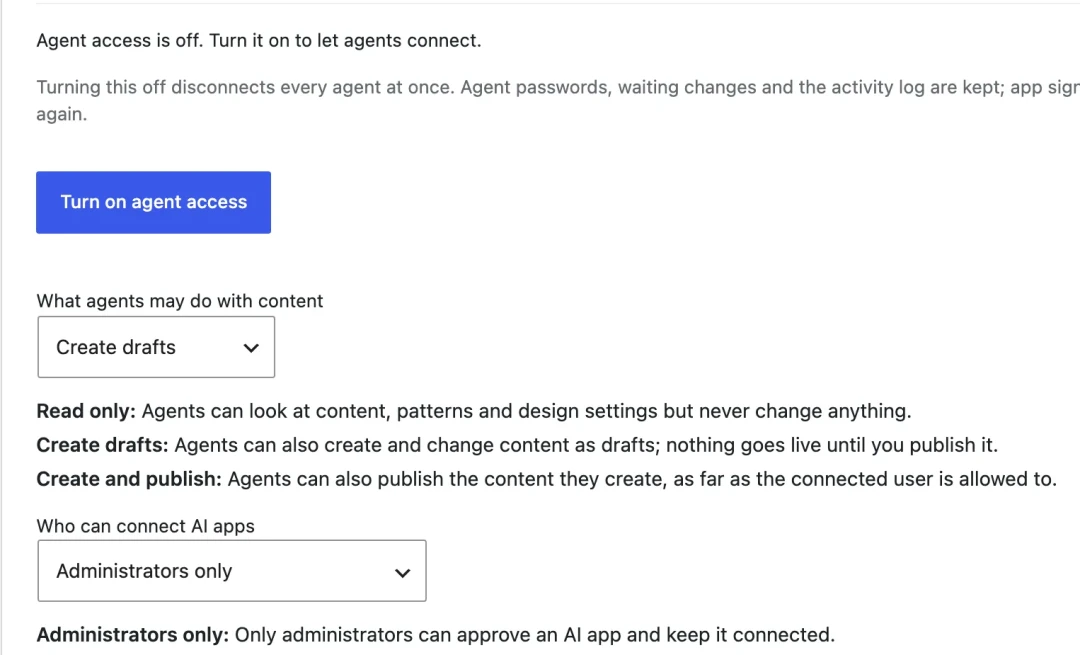
Off by default
No AI app can connect until you press Turn on agent access.
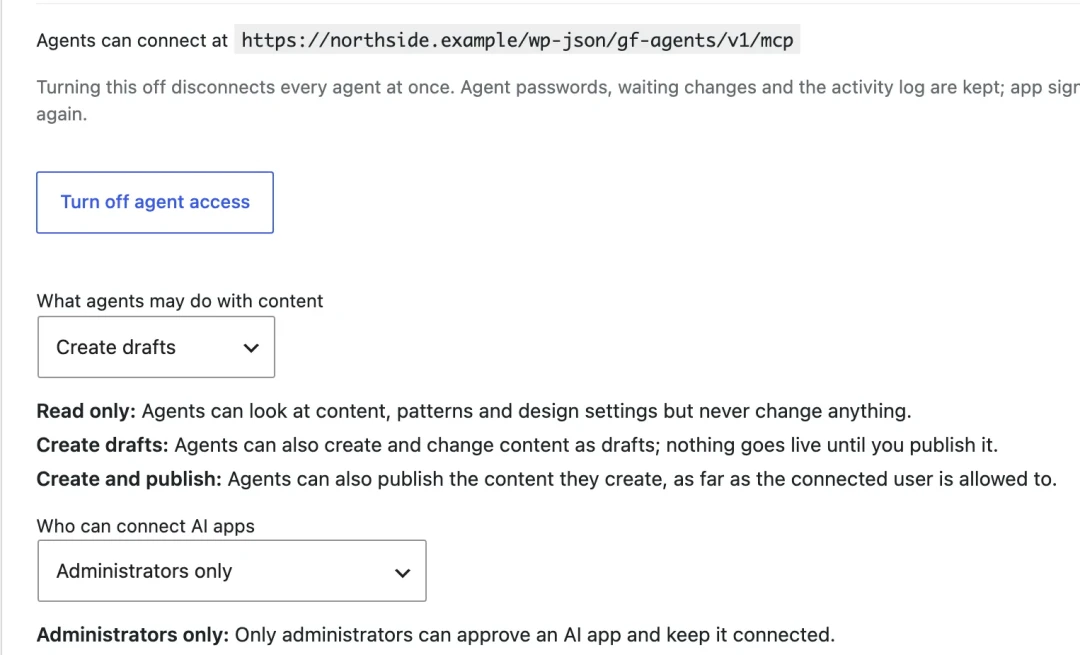
Turned on, drafts only
You turn it on and keep it at Create drafts: agents can draft, and nothing goes live until a person publishes.
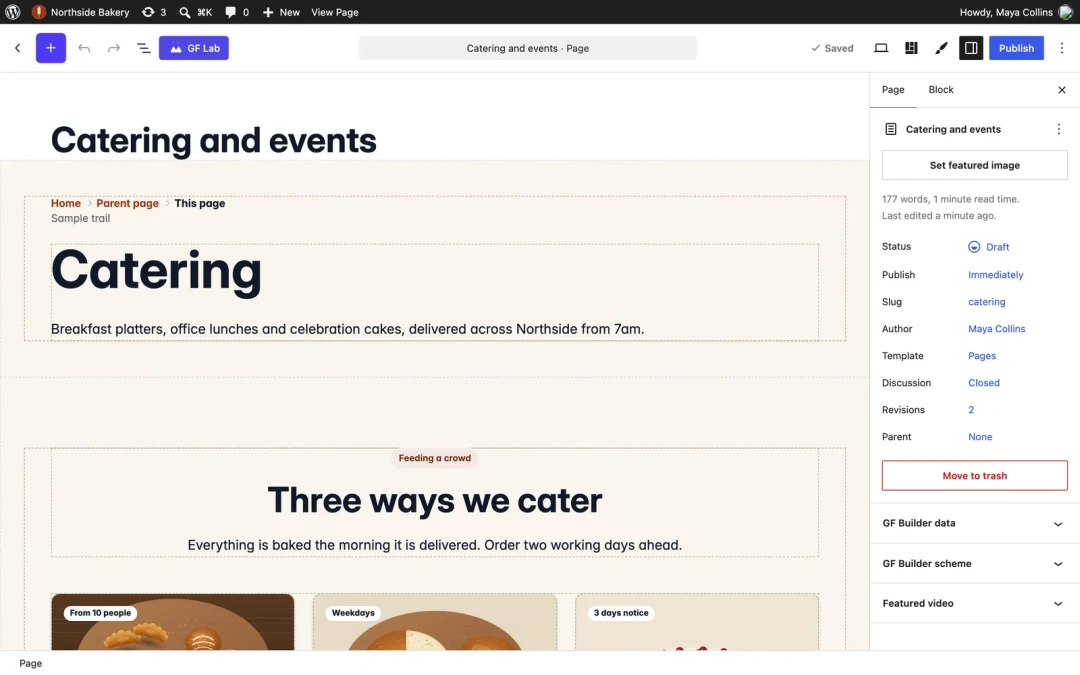
An agent builds a draft. You review it.
The page arrives in the block editor as a draft, built from GF Blocks patterns. You read it, change it, and publish it or not.
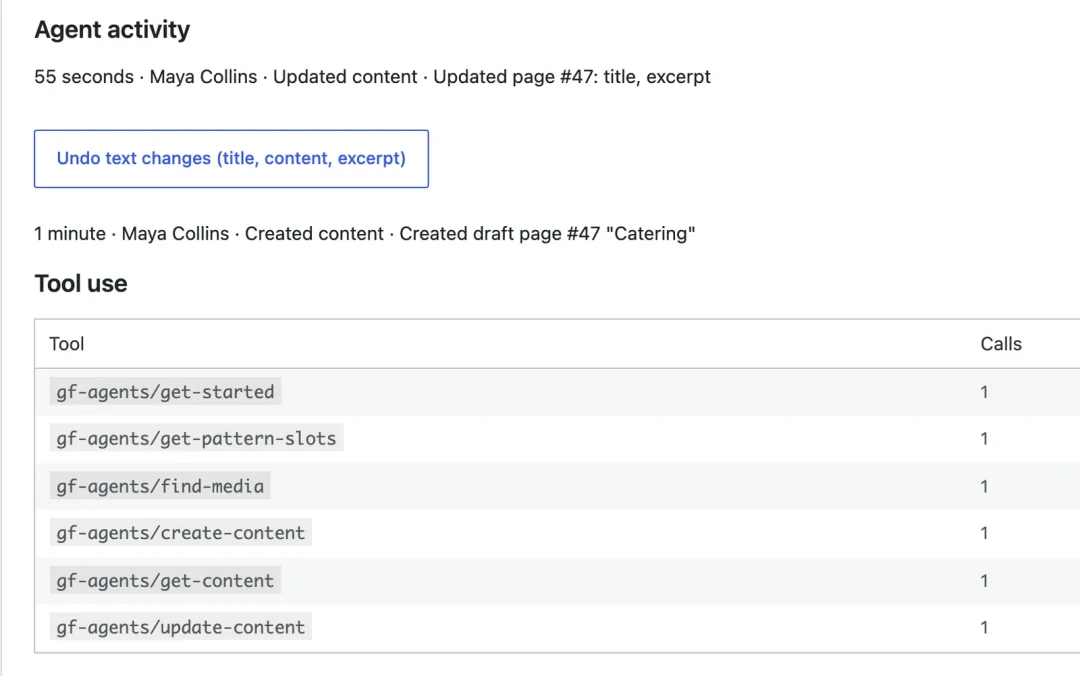
Every action is logged
Who did what and when, newest first, plus which tools the agent used and how often.
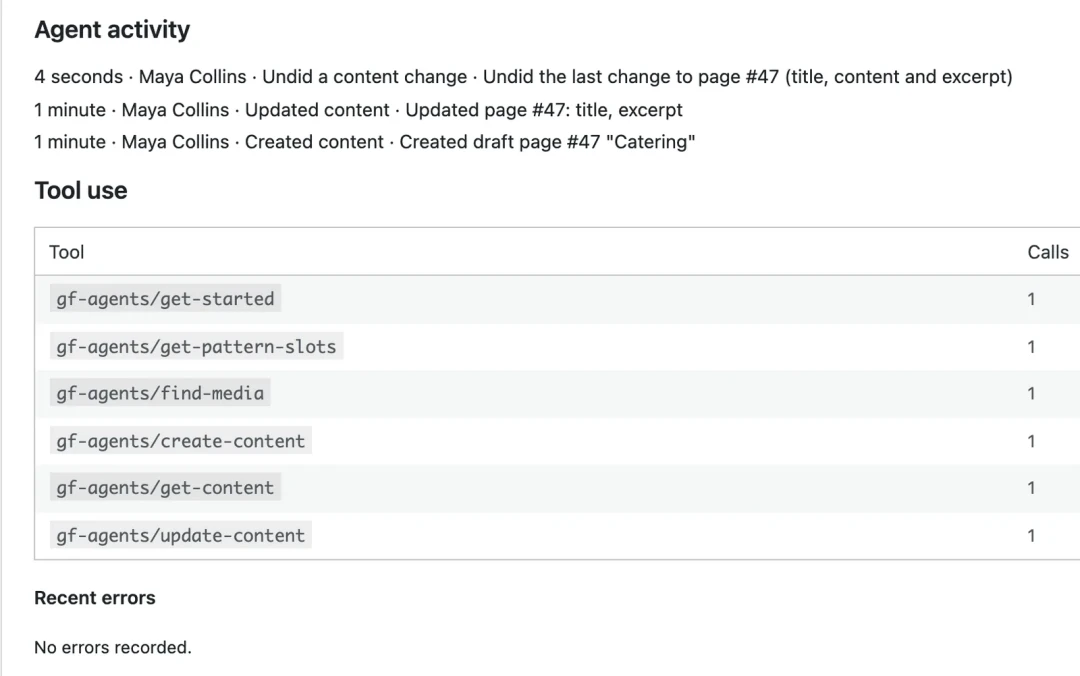
Undo
Press Undo and the title, text and excerpt go back to how they were. The undo is logged too.
Screens from a demo site we built for these pictures (a made-up bakery). The licence check was simulated for them. The WordPress menu still shows the plugin's former name, GF Builder.
Connect your AI assistant to WordPress.
- 01
Install GF Agents
Add the GF Agents plugin to a site running GF Blocks and turn agent access on.
- 02
Add the server to your assistant
Copy the connection address from the GF Agents screen into your AI assistant. Setup steps are on that screen.
- 03
Allow, then ask
Approve the connection on the WordPress Allow screen, choose the access level, and ask for your first page.
GF Agents vs the WordPress MCP Adapter, AI Engine and Divi AI.
Free WordPress MCP servers exist. Here is what you pay for with GF Agents, and when a free one is enough.
GF Agents
$149 a year, or included with Agency. Works only on sites running GF Blocks. Builds with its blocks and patterns, starts pages as drafts, waits for your approval on design changes, keeps an activity log and can undo.
WordPress MCP Adapter
Free and open source from the WordPress project. It turns abilities into MCP tools on any WordPress site. A good fit for developers who want to wire their own tools.
AI Engine
Its MCP server is in the free version, and Pro starts at $59 a year for one site. Works on any WordPress site.
Divi AI
$193 a year on its own, or included in Divi Pro at $277 a year. It works inside the Divi builder.
Rival details from each vendor's own pages, checked 15 November 2026: github.com/WordPress/mcp-adapter, meowapps.com/ai-engine, elegantthemes.com/ai.
$149 a year, or included in the Agency licence.
Already have a GF Builder licence
Add it to the licence you have.
$149
per year
- Check out with the email on your licence
- Turns on for your existing key
- On Agency? It is already included, so there is nothing to buy
Agency licence
GF Blocks and GF Theme, with GF Agents included.
$449
per year
- GF Blocks, GF Theme and GF Lists
- GF Agents included
- Unlimited live sites
GF Agents questions.
Which AI assistants work?
Can I use Claude Code with WordPress through GF Agents?
Do I need GF Blocks?
Can the AI break my site?
Who pays for the AI?
What happens if my licence lapses?
One licence account. Add the tools you need.
Each tool is its own plugin or theme, so a site carries only what it uses, and they share one design system.
GF Blocks
Blocks, patterns and the Lab, in the block editor WordPress already ships.
Comes with every GF Builder licence.
See GF Blocks →
GF Theme
The block theme: headers, footers, templates and three style packs.
Comes with every GF Builder licence.
See GF Theme →
GF Lists
Email sign-ups with double opt-in, kept in your own WordPress database.
Free with every GF Builder licence.
See GF Lists →
Planned, not on sale yet: GF SEO and GF CRM. See the roadmap
New to GF Builder?
Get GF Blocks and GF Agents together, and save.
One payment for a year of GF Blocks, GF Theme, GF Lists and GF Agents. We email you a renewal link before the year ends.