A WordPress block theme that changes the whole look in one click.
GF Theme is the block theme that comes with GF Blocks. Headers, footers and templates are edited in WordPress's Site Editor, and three style packs restyle colours, type, buttons and cards across the whole site.
GF Theme 2.54.0 · WordPress 6.8+ · PHP 8.2+ · Included with Starter, Pro and Agency · 14-day refund
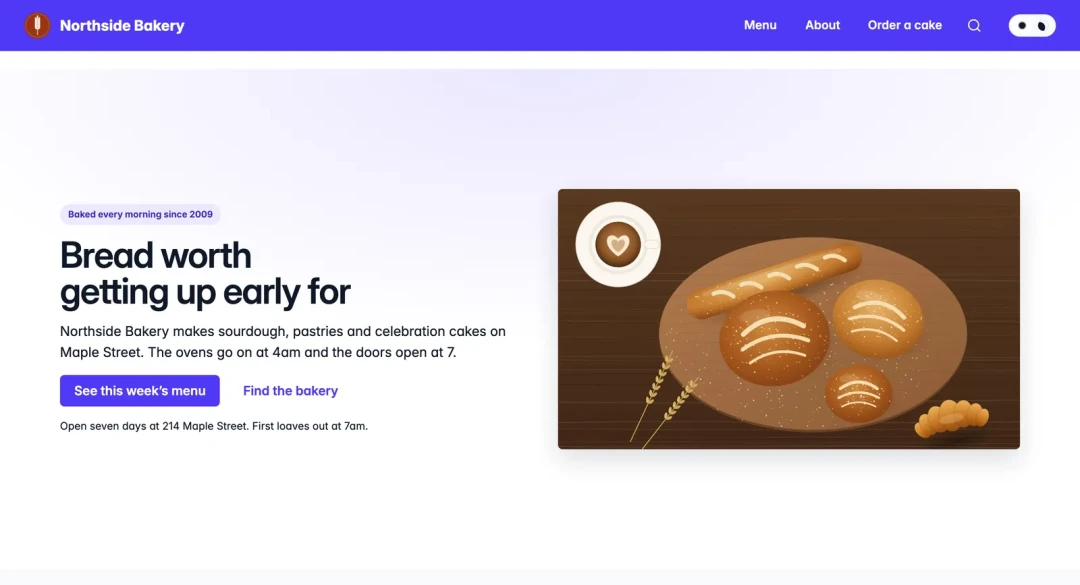
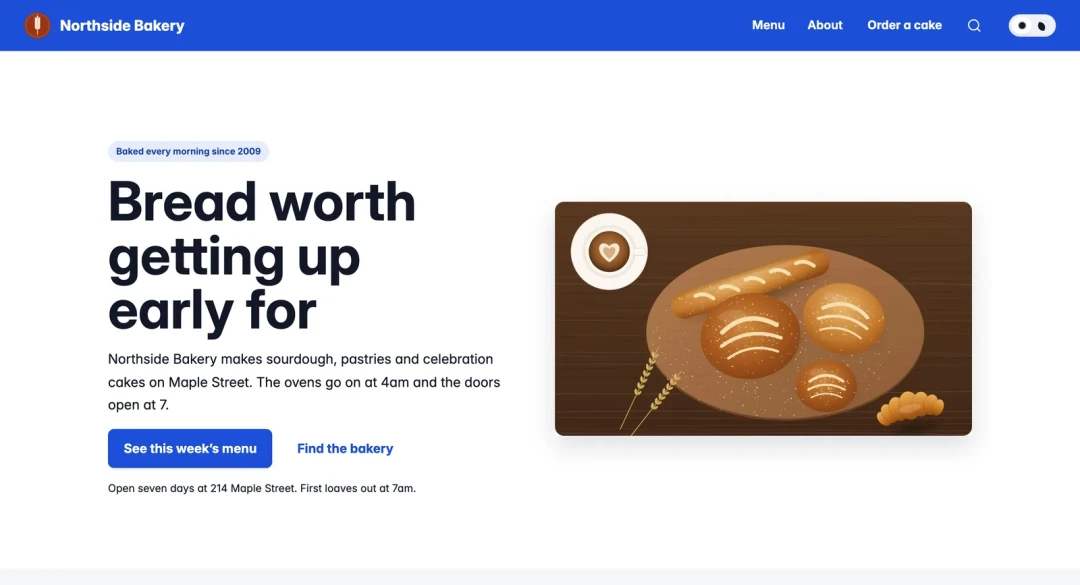
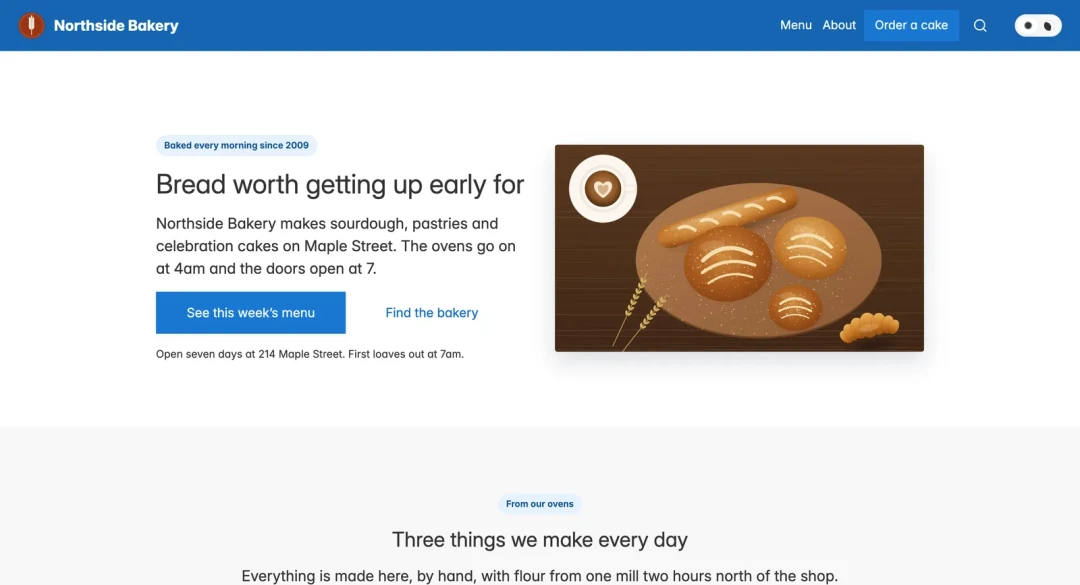
The same demo home page, saved in each style pack. A made-up bakery on GF Blocks 2.54.0, captured November 16, 2026.
Why use a block theme with GF Blocks.
The theme decides how every page looks and where the header, footer and templates are edited. GF Theme keeps all of that in WordPress itself.
One place for the whole site
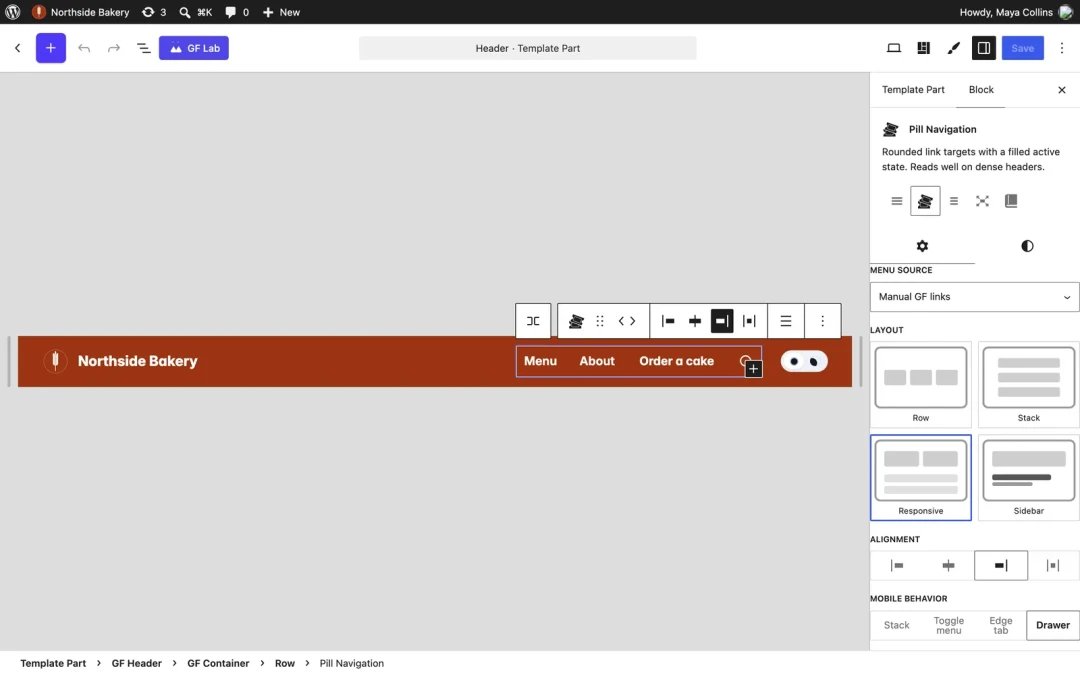
Headers, footers and templates are edited in WordPress's Site Editor, so there is no separate header or template builder.
One look across every page
Switch the style pack and colours, type, buttons and cards change site-wide. GF blocks follow it.
Shop and event pages included
Templates for WooCommerce shop, product and category pages, and for The Events Calendar's event pages.
Fonts from your own site
Its Inter font files ship inside the theme and load from your site.
Made for GF Blocks
Its archive, search, blog and shop templates are built with GF Blocks' blocks, so they match the sections you build pages with.
Switch at your own pace
On a classic theme today? GF Blocks can show GF pages through your current theme while you move.
A full site editing theme, ready for every page type.
Material
Soft elevation, rounded corners and heavier headings.
Modern
Flatter surfaces, tighter letter spacing and smaller corner radii.
Flat
Square corners, normal-weight headings and minimal depth.
Switch packs in Appearance › Editor › Styles › Browse styles.
15 templates
Pages, posts, the blog home, archives, search, 404 and a fallback index, two page templates you pick per page, plus WooCommerce shop, product, product category and product tag pages, and The Events Calendar's event list and single event.
Page templates you pick per page
Full Width Page, and Page with no header or footer, for landing pages.
Header and footer parts
Both are template parts you edit in the Site Editor.
Classic theme bridge
With GF Blocks, keep your classic theme active and show GF pages through it. GF Theme only needs to be installed. Turn the bridge off and the classic theme is back as it was.
GF Theme vs Twenty Twenty-Five, Hello Elementor and Divi.
Pick the theme that matches how you build. Here is where each one fits.
GF Theme
A block theme: headers, footers and templates in the Site Editor, three style packs that GF blocks follow, and shop and event templates. Comes with a GF Builder licence, from $99 a year; it is not sold on its own.
Twenty Twenty-Five
WordPress's own default theme, free on WordPress.org. It is also a block theme with style variations. A good fit if you build only with core blocks and want nothing to buy.
Hello Elementor
A free theme made for the Elementor page builder. Its WordPress.org listing does not carry the Block themes tag, so it is not edited in the Site Editor.
Divi
Headers, footers and templates are built in Divi's own Theme Builder ("In Divi 5, all this lives in the Theme Builder"). $89 a year for unlimited sites.
Checked November 16-17, 2026: Twenty Twenty-Five on WordPress.org (tags include Block themes and Style variations), Hello Elementor on WordPress.org (no Block themes tag), Elegant Themes on theme builders, Divi pricing.
GF Theme questions.
Do I need GF Blocks to use GF Theme?
Is GF Theme sold separately?
Do I need a child theme?
How do I change the style pack?
Can I keep my current theme for now?
Does it work with WooCommerce and The Events Calendar?
What happens if my licence lapses?
What does it need?
One licence account. Add the tools you need.
Each tool is its own plugin or theme, so a site carries only what it uses, and they share one design system.
GF Blocks
Blocks, patterns and the Lab, in the block editor WordPress already ships.
Comes with every GF Builder licence.
See GF Blocks →
GF Agents
Your AI assistant builds pages with GF Blocks, as drafts you review.
$149 a year on Starter and Pro. Included with Agency.
See GF Agents →
GF Lists
Email sign-ups with double opt-in, kept in your own WordPress database.
Free with every GF Builder licence.
See GF Lists →
Planned, not on sale yet: GF SEO and GF CRM. See the roadmap
One theme. Three looks.
GF Theme comes with every GF Builder licence, from $99 a year. 14-day refund.